
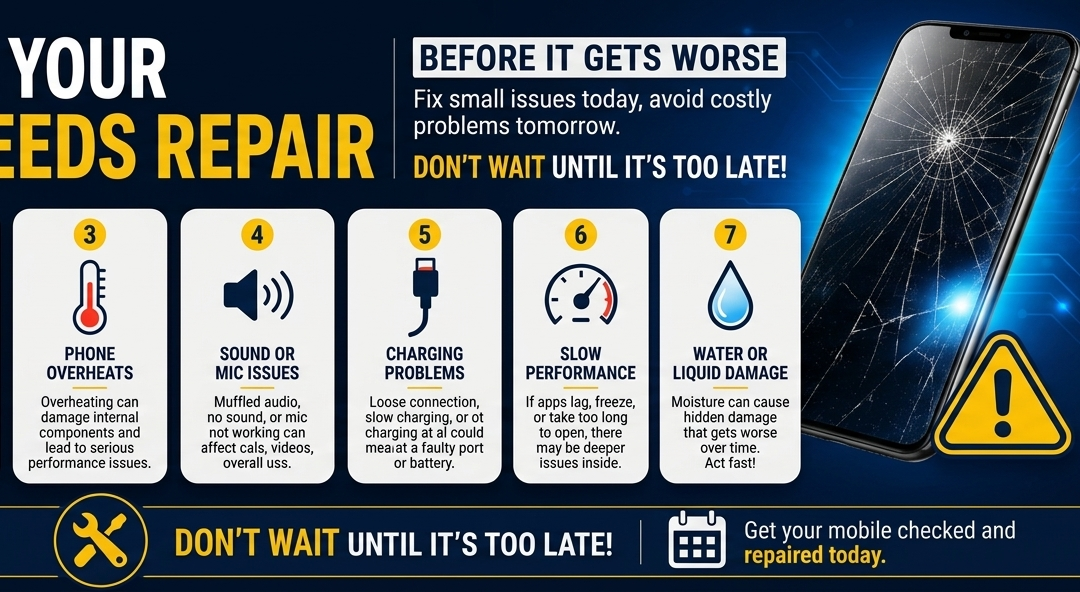
Screen Damage (The #1 Culprit): SquareTrade and consumer tech surveys consistently show that cracked screens make up roughly 60% to 65% of all Mobile Phone Services . Globally, a smartphone screen breaks every few seconds from simple drops or fumbles out of cars.
Battery Issues (The Age Factor): Battery degradation usually kicks in heavily after about 18 to 24 months of daily use (roughly 500 charge cycles). It accounts for about 15% to 20% of repairs, usually driven by users who love their current phone but can’t handle it dying by lunchtime.
Water & Liquid Damage (The Accidental Hazard): Liquid exposure accounts for roughly 10% to 15% of all smartphone incidents. Despite modern phones having high IP water-resistance ratings (like IP68), chlorine from pools, salt water, or steam from hot showers still frequently bypasses the protective seals over time, leading to internal corrosion.
Understanding Repair Costs [Mobile Phone Services]
The Real Cost of Mobile Phone Repairs: What to Expect and Why Prices Vary
We’ve all experienced that split-second heart-stopping moment when a phone slips from our fingers and hits the pavement. Once the initial panic subsides, the very next thought is almost always: How much is this going to cost me? When it comes to mobile phone repair services, pricing isn’t a one-size-fits-all figure. The total cost depends heavily on what broke and what kind of device you carry. Understanding typical repair costs and the underlying factors that drive them can help you decide whether to fix your current device or start shopping for an upgrade [Mobile Phone Services].
Typical Costs by Repair Type
While prices fluctuate across different repair shops and regions, standard industry averages generally fall into distinct brackets based on the severity of the damage.
- Screen Replacements ($70 – $400+): Because the screen is the most frequently broken component, it is also the most common repair. A basic budget phone or older model might cost under $100 to fix. However, premium flagship devices featuring curved edges or high-end OLED displays can easily push past $300 or $400.
- Battery Replacements ($50 – $110): This is one of the most affordable and cost-effective repairs you can make. If your phone struggles to hold a charge but otherwise works perfectly, a quick battery swap can give it a second life without breaking the bank.
- Water & Liquid Damage ($100 – $250+): Liquid damage is unpredictable. Repairing it usually requires deep ultrasonic cleaning and potentially replacing multiple minor internal components. In severe cases where the motherboard is fried, costs can skyrocket.
- Charging Port & Camera Repairs ($60 – $150): Over time, charging ports loosen and camera lenses scratch. These mechanical and modular fixes are relatively straightforward and moderately priced.
Key Factors That Influence Repair Prices
If you’ve ever wondered why fixing two seemingly similar phones can cost vastly different amounts, it comes down to a few critical variables:
1. Device Model and Age
As a rule of thumb, the newer and more premium the phone, the more expensive the repair. High-end flagships utilize cutting-edge technology—like ultra-thin glass, advanced camera sensors, and integrated biometric scanners—that inherently costs more to manufacture and replace. Paradoxically, extremely old phones can also become expensive to fix simply because components for them are no longer actively produced.
2. Part Availability and Sourcing
Repair costs are heavily dictated by supply chain mechanics in Mobile Phone Services. Shops can choose between Original Equipment Manufacturer (OEM) parts or third-party aftermarket parts. OEM parts offer guaranteed compatibility but carry a premium price tag. Furthermore, if a specific model is rare or highly localized, scarce part availability will drive up the wholesale price of the components.
3. Repair Complexity and Labor
Modern smartphones are marvels of compact engineering. Many manufacturers tightly glue components together or use proprietary screws to discourage DIY fixes. Safely opening a phone without damaging delicate flex cables takes specialized tools, patience, and expertise. The more labor-intensive and risky the repair, the higher the service fee will be.
The Mobile Phone Repair Process
Inside the Repair Shop: What to Expect When Getting Your Phone Fixed [Mobile Phone Services]
Handing your smartphone over to a stranger can feel a bit nerve-wracking. After all, our phones contain our photos, messages, and daily lives. If you have ever wondered what actually happens behind the counter, the process is highly systematic. Professional repair services follow a strict step-by-step workflow designed to ensure your device is fixed safely, quickly, and to standard.
Here is a look at the typical lifecycle of a mobile phone repair, from the moment you hand it over to the final hand-off.
Step 1: Initial Diagnostics and Assessment
Before a technician even picks up a screwdriver, they must figure out exactly what is wrong.
- What to expect: The technician will run software tests, check hardware responses, and visually inspect the device. Even if you come in for a simple cracked screen, they will check the charging port, cameras, and buttons to make sure there are no hidden internal issues. They will then provide you with a transparent quote and an estimated repair time.
Step 2: Safe Disassembly and Component Prep
Once you approve the repair, the physical work begins. Modern smartphones are held together with strong adhesive and incredibly tiny screws.
- What to expect: Technicians use specialized heating pads or heat guns to soften the glue holding the phone’s glass back or screen in place. Using precision suction cups and prying tools, they carefully open the device. A major focus during this stage is disconnecting the battery immediately to prevent any electrical short-circuits while working on other delicate internal components.
Step 3: Part Replacement and Precision Cleaning
With the phone open, the faulty component is removed and the new part is prepared for installation in Mobile Phone Services
- What to expect: The technician swaps out the broken screen, degraded battery, or faulty port. Before closing the phone, they will carefully scrape away old adhesive residue and dust from the frame. This step is crucial because leaving old debris behind can prevent the new screen from sealing properly, leaving it vulnerable to lifting.
Step 4: Reassembly and Post-Repair Quality Testing
Once the new component is securely in place, the phone is put back together—but the job isn’t quite done yet.
- What to expect: Before applying the final industrial-grade adhesive to seal the phone, the technician boots up the device for a comprehensive quality check. They will test touch sensitivity across the entire screen, check brightness levels, test the cameras, and ensure the phone charges correctly.
Step 5: Final Hand-Off and Warranty Activation
The final step is returning the phone to its owner with an extra layer of protection.
- What to expect: When you pick up your phone, the shop will walk you through the fixes they made. Reputable repair services will also activate a service warranty at this stage (typically ranging from 30 days to lifetime, depending on the shop). This warranty is your safety net; it ensures that if the replaced part acts up or proves defective through no fault of your own, the shop will fix it for free.
Choosing a Reliable Mobile Phone Repair Service
How to Choose a Trustworthy Phone Repair Shop: 4 Things to Look For [Mobile Phone Services]
Finding a local phone repair shop is easy—they are on almost every street corner and shopping center. However, finding a trustworthy repair service that you can rely on with your expensive device and private data requires a bit more vetting.
Because smartphones have become our digital lifelines, a bad repair experience can result in recurring hardware issues, lost data, or wasted money. To ensure your device is in safe hands, keep these four essential criteria in mind before handing over your phone.
1. Dig Into Real Customer Reviews
Online reviews are the closest thing to a crystal ball for local businesses. A quick glance at Google Maps, Yelp, or Facebook can save you from a major headache.
- What to look for: Don’t just look at the overall star rating. Look for patterns in what customers say. Are people praising the quick turnaround time? Do they mention fair, upfront pricing? Be wary of shops where multiple reviewers complain about hidden fees or parts failing a few weeks later.
2. Check for Technical Certifications
A reputable repair shop doesn’t just hire someone who watched a few YouTube tutorials; they invest in professional training.
- What to look for: Ask if their technicians hold industry-recognized certifications. Look for credentials such as Wise Certification (Wireless Industry Service Excellence) or direct manufacturer certifications like Apple Authorized Service Provider (AASP) or Samsung Authorized Repair. Certified technicians understand the exact engineering standards required to fix your device safely.
3. Demand Clear Service Guarantees and Warranties
A shop’s willingness to stand behind its work speaks volumes about the quality of the parts and labor they provide. If a business offers zero coverage after you walk out the door, take your phone elsewhere.
- What to look for: Look for a comprehensive service guarantee. A reputable independent repair shop should offer a minimum of a 90-day warranty on parts and labor, though many top-tier shops provide 6 months or even a limited lifetime warranty. This guarantees that if a replacement screen begins to glitch or detach due to a manufacturer defect, it will be replaced at no extra cost to you.
4. Evaluate Customer Service and Communication
The technical fix is only half the battle; how a shop treats you matters just as much. Transparent communication is a hallmark of a professional business.
- What to look for: From your very first interaction, pay attention to how they communicate. Do they offer a clear, written price quote before starting the work? Do they explain what could go wrong, or how they handle data privacy? A trustworthy shop will never be vague about costs or rush you into a decision. Technicians must get your approval before doing extra, billable work found during diagnostics.
Frequently Asked Questions
We provide expert, multi-brand mobile phone service for all major smartphone manufacturers, including Samsung, Xiaomi, OnePlus, Vivo, Oppo, and iPhone. Moreover, since we maintain a ready stock of genuine spare parts right here in Bhadravathi, we can complete most hardware repairs on the very same day.
Yes, we frequently resolve complex signal bugs. Network failures can stem from minor software glitches or, alternatively, physically damaged internal antennas. As a result, our comprehensive mobile phone service begins with a thorough diagnostic check to pinpoint the exact issue before safely restoring your cellular connectivity.
Know more
Time needed: 2 minutes
Frequently asked How-to’s :
- How to repair a mobile phone at home?
While you can handle basic software maintenance and simple cleaning at home, attempting physical hardware repairs yourself is highly risky and can permanently damage your phone.
If your issue is minor, you can safely try these home steps:
For Dust & Charging Issues: Carefully clean out lint from the charging port or speaker grilles using a wooden toothpick or a soft, dry toothbrush. Never use metal needles or pins.
For Software Glitches & Freezes: Force restart your device, clear cached data from heavy apps, and perform an official factory reset if the phone is lagging severely.
For Water Exposure: Turn the phone off immediately to prevent a short circuit. Wipe the outside dry and leave it in a well-ventilated area—do not use rice, hair dryers, or plug it into a charger.
⚠️ Warning: Opening modern smartphones requires specialized heating pads, suction tools, and precision screwdrivers. Attempting to replace a screen or battery at home without proper ESD (electrostatic discharge) protection can puncture the battery (causing a fire hazard), snap delicate internal ribbon cables, or completely ruin the motherboard.
For any hardware failures, it is always safest to bring your device to a professional mobile phone service center.
Good Website, Good Blog, Good Author, I am happy